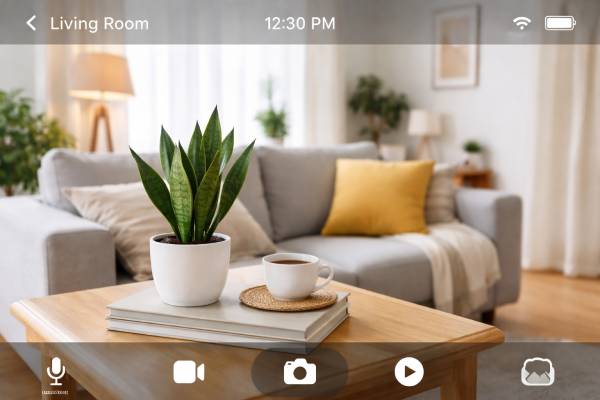
| Feature | Details |
|---|---|
| App Name | Geeni Camera App |
| Category | Smart Home / Security Camera |
| Supported Devices | Android & iOS |
| Main Use | Home & Office Security Monitoring |
| Live Video | Yes, real-time HD streaming |
| Two-Way Audio | Available |
| Night Vision | Yes |
| Motion Detection | Smart Motion Alerts |
| Cloud Storage | Optional (Paid Plan) |
| Local Storage | MicroSD Card Support |
| Smart Assistant Support | Google Assistant & Amazon Alexa |
| App Price | Free |
Browse the way Geeni Camera app makes your home security easier. In this blog, Learn about the process to Set up Geeni Camera, check live footage , receive smart notifications, store recordings, and monitor hone while being away . This is the Perfect guide for beginners and smart home users.

Geeni Camera App: A complete guide to smart home security
With the Advancement in Technology, new home security technology has also been launched and the Geeni Camera app is the easy and convenient way to ensure safety of your homes. If you want to watch your pets while you are away , check your front door or improve overall safety , Geeni Camera App provides you the power to do all this using your phone.
Salient Features of Geeni App
Easy Remote Acess, you are not required to instal expensive devices or hub . This make it suitable for routine users those who are seeking for reliabkle security without technical confusions or arrangements. Geeni Camera app is the Best device as it is simple to set up, provides clear video Quality and provide smart notifications,
Why Geeni is Best for Home Security
The Geeni Camera App consists of unique features which provides user friendly mobile experience. For setting up or using this app dose not require technical knowledge . Below are highlights which make it unique :’
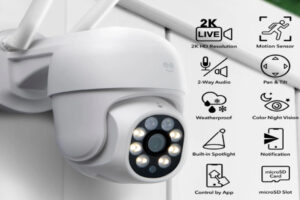
- Live HD video: You can check the real time footage from anywhere .
- Motion detection Notifications: You gret quick notification if any moment is detected by camera.
- Two Way audio: You can talk and listen, through using camera .
- Night vision: You can watch clearly footage even in darkness.
- Cloud & Local storage: Recording can be saved to the cloud and can be retrieved when required.
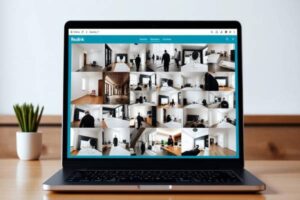
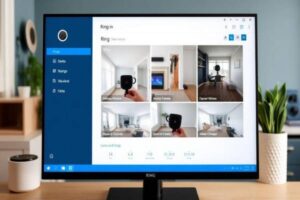
- Multiple camera view: You can add multiple Camera, and check every corner of your house in one dsingle app.
These salient features make Geeni Camera app an affordable a
How to Install And Set Up And Geeni Camera
- First you need to Download the application, from apple or Google play store.
- Sign Up account using mobile number or email id.
- Link to 2.4Ghz Wi-Fi
- Plug in Camers and wait for few minutes to display indicator,light begins blinking
- Next you need to click on Add device option and then select camera
- Scan the QR code from you phone utilizing camera
- Give name to your camera like front door living room
- Make Adjustment in Settings like notifications, storage night mode and recording schedule.
Within just few minutes your home is protected.
Smarts Techniques to Utilize Geeni Camera App
- Security of Front Door: Watch unexpected visitors or monitor deliveries.
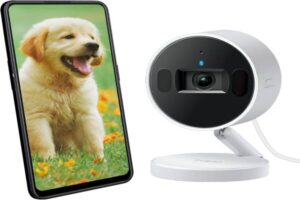
- Pet monitoring: See your pet while you are far away from home.
- Baby camera: Utilize night vision and notifications, for nursery monitoring.
- Travel safety: Checking your home when you are away, from home or out of town.
This app provides every user with peace of mind whenever away from home.
Step Into Future of Safety- Your Smart Home Awaits!
Why to guess what is happening at home when you can watch it in real time? Upgrade your home and make it smarter by setting up,Geeni Camera App today . One click give you control clarity and confidence. Protect your Home in smart Ways Start your Geeni Security journey .



1 thought on “Geeni Camera App: A complete guide to smart home security”